pushbullet-go
Pushbullet Go



Note 1: The official name of this extension is “Push Go for Pushbullet”.
Note 2: This is a third-party, open-source client for Pushbullet API. Not affiliated with or endorsed by Pushbullet.
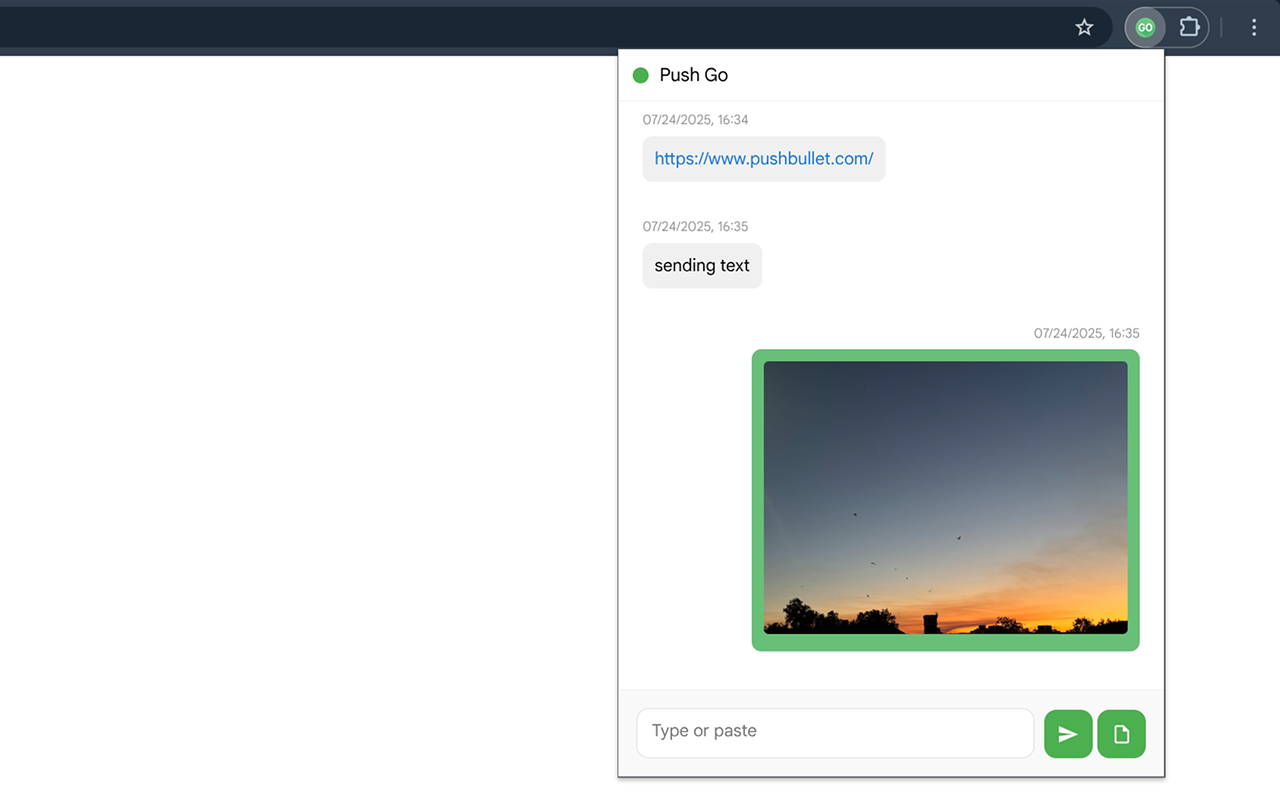
A lightweight Chrome extension for Pushbullet that enables receiving and sending pushes directly from your browser.
This extension is compatible with Manifest V3, making it a drop-in alternative to the official extension, which no longer works in the latest Chrome and other Chromium-based browsers such as Brave.

Features
Require a Pushbullet account. Features include:
Basics
- Authenticate via OAuth or enter access token manually
- Unread counts and OS notifications with sound
- Supports i18n with 33 languages
Push
- Receive and send pushes
- Filter to show and notify pushes by target device
- Optionally include pushes from Channel and RSS feed subscriptions, labelled with the feed’s name
- Push files/images by pasting, dragging, or uploading
- Push current page’s URL, selected text, or images from context menu
- Push via keyboard shortcut
- Set a default push target, or change it per-send in the popup
- Auto-open received links
- Quick share of current tab’s link in the popup
- Clear local push history
Chat
- Per-person conversations with message history, send text and files the same way as pushes
- Mute/unmute conversations
- Auto-open links from selected people
- Clear local chat history per conversation
Notification Mirroring
- Receive mirrored notifications with end-to-end encryption support
- Extract verification codes from mirrored notifications and copy with one click in the popup
SMS
- The Pushbullet API doesn’t provide full SMS endpoints, so SMS conversations like the official extension aren’t possible for now. Instead, you can enable a popup shortcut that opens SMS on the Pushbullet website
- If you want SMS notifications mirrored to your browser, remember to turn off “SMS sync” in the Pushbullet Android app; otherwise they won’t come through
Customization
Push Go offers fine-grained options for advanced users to tailor almost everything, such as:
- Auto-open tuning: Include file pushes, auto-open on reconnect, hide auto-opened notifications, make the new tab active
- Notification behavior: Sound, hide pushes sent from browsers, require interaction to dismiss (per category), treat native close as dismiss
- Toggle individual features: Chat, notification mirroring, context menu, quick share, SMS shortcut
- Default popup tab and which unread counts to display
- Dark Mode (follows system by default, or choose manually)
Installation
Note 3: Requires Chrome 116+ for using
chrome.idleAPI to maintain connection to Pushbullet’s WebSocket server.
Recommended
Install directly from the Chrome Web Store or:
Manual
- Download and unzip the latest version from the Releases page
- Open Chrome and navigate to
chrome://extensions/ - Enable “Developer mode” in the top right
- Click “Load unpacked” and select the
/srcfolder from unzipped
Setup
- Click the extension icon and select “Open Settings”
- Enter access token via OAuth authentication or manually (from Pushbullet settings)
- Click retrieve button and start sending and receiving pushes!
- Customize settings on the options page as needed
Permissions
This extension requires the following permissions:
- Storage: To save your options and push/mirrored notification history locally
- Idle: To maintain the connection to receive pushes in real time
- Notifications: To display notifications in the browser
- Context Menus: To add right-click context menu options
- Active Tab: To access current page’s URL and title for context menu and keyboard shortcut actions
- Host Access: To communicate with Pushbullet servers
- Offscreen: To play notification sound
- Identity: To complete OAuth process
Privacy
This extension stores everything locally and does not transmit any information beyond Pushbullet’s API. See the full privacy policy for details.
License
This project uses the AGPL-3.0 license.
Feedback
If you have any feature requests or feedback, feel free to create an issue or pull request.
One More Thing
If you’re also an iOS+Pushbullet user, you may find these Shortcuts useful: